> ## Documentation Index
> Fetch the complete documentation index at: https://crossmint-wallets-docs-2-5.mintlify.site/llms.txt
> Use this file to discover all available pages before exploring further.
# Wallet UI Components
> Build powerful NFT experiences with Crossmint's React components
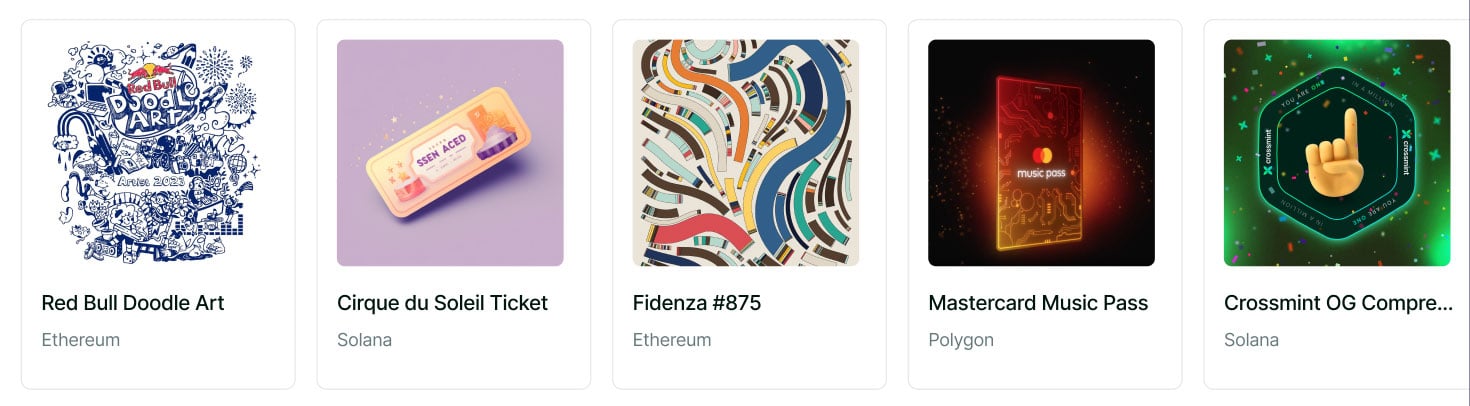 Crossmint's UI components help you build sophisticated NFT experiences efficiently. These components are designed to work with any NFT collection across EVM chains and Solana. You can use them to:
* Display NFT collections in a clean, responsive grid layout
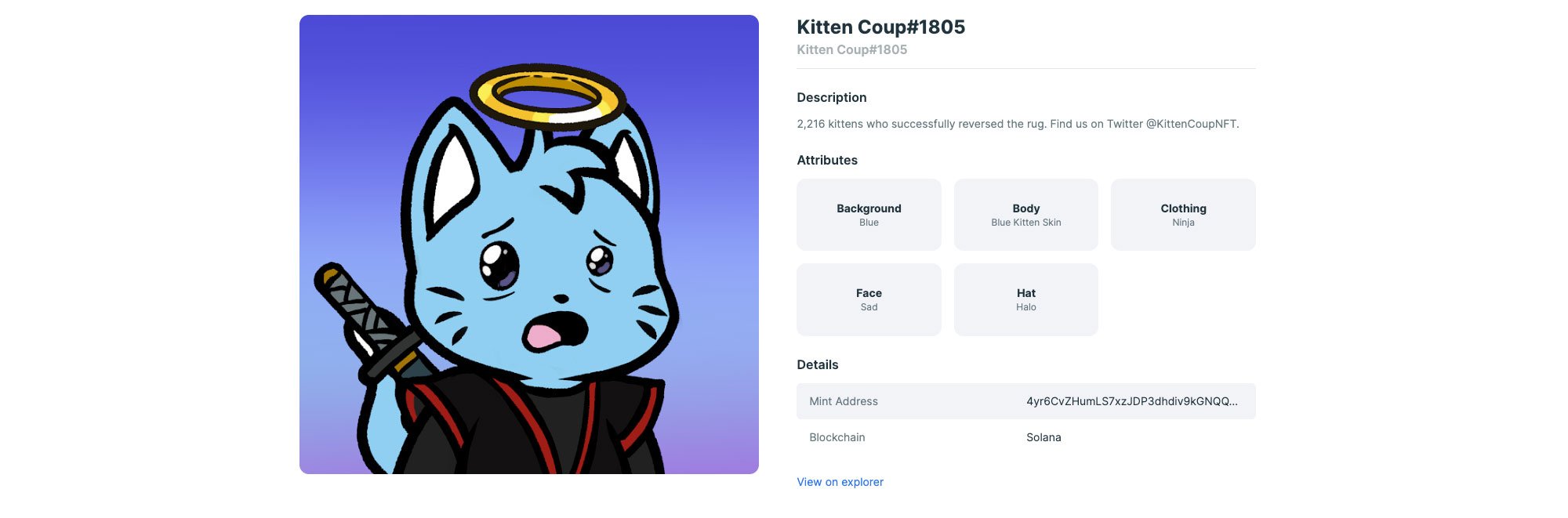
* Show detailed NFT information with metadata and attributes
* Create custom layouts that match your brand
Use the following command:
The `CrossmintNFTCollectionView` component lets you display NFTs from any wallet or collection:
| Prop | Description | Example |
| :--------------------- | :-------------------------------------------- | :------------------------------------------------------------ |
| wallets | List of wallets whose NFTs you want to render | `[{ chain: "solana", publicKey: "" }]` |
| uiConfig (optional) | Customize colors, fonts, and layout | `{ colors: { background: "#cccccc" } }` |
| environment (optional) | Switch between production and staging | `production` (default) or `staging` |
The `CrossmintNFTDetail` component creates rich NFT detail views that work with any NFT:
```typescript EVM theme={null}
"use client";
import { CrossmintNFTDetail } from "@crossmint/client-sdk-react-ui";
export default function NFTDetailPage() {
return (
Crossmint's UI components help you build sophisticated NFT experiences efficiently. These components are designed to work with any NFT collection across EVM chains and Solana. You can use them to:
* Display NFT collections in a clean, responsive grid layout
* Show detailed NFT information with metadata and attributes
* Create custom layouts that match your brand
Use the following command:
The `CrossmintNFTCollectionView` component lets you display NFTs from any wallet or collection:
| Prop | Description | Example |
| :--------------------- | :-------------------------------------------- | :------------------------------------------------------------ |
| wallets | List of wallets whose NFTs you want to render | `[{ chain: "solana", publicKey: "" }]` |
| uiConfig (optional) | Customize colors, fonts, and layout | `{ colors: { background: "#cccccc" } }` |
| environment (optional) | Switch between production and staging | `production` (default) or `staging` |
The `CrossmintNFTDetail` component creates rich NFT detail views that work with any NFT:
```typescript EVM theme={null}
"use client";
import { CrossmintNFTDetail } from "@crossmint/client-sdk-react-ui";
export default function NFTDetailPage() {
return (
);
}
```
```typescript Solana theme={null}
"use client";
import { CrossmintNFTDetail } from "@crossmint/client-sdk-react-ui";
export default function NFTDetailPage() {
return (
);
}
```
| Prop | Description | Example |
| :--------------------- | :------------------------------------ | :-------------------------------------- |
| nft | NFT identifier as locator string | `"ethereum:0x123...abc:1"` |
| uiConfig (optional) | Customize colors, fonts, and layout | `{ colors: { background: "#cccccc" } }` |
| environment (optional) | Switch between production and staging | `"production"` (default) or `"staging"` |
The `nft` prop also supports an object format:
```typescript EVM theme={null}
// For EVM chains
{ chain: "ethereum", contractAddress: "", tokenId: "" }
```
```typescript Solana theme={null}
// For Solana
{ chain: "solana", mintHash: "" }
```
#### Example of NFT detail component
 Make the components match your brand using the `uiConfig` prop:
```typescript theme={null}
"use client";
import { CrossmintNFTDetail } from "@crossmint/client-sdk-react-ui";
export function NFTDetailPage() {
return (
Make the components match your brand using the `uiConfig` prop:
```typescript theme={null}
"use client";
import { CrossmintNFTDetail } from "@crossmint/client-sdk-react-ui";
export function NFTDetailPage() {
return (
);
}
```
#### Example with custom styling
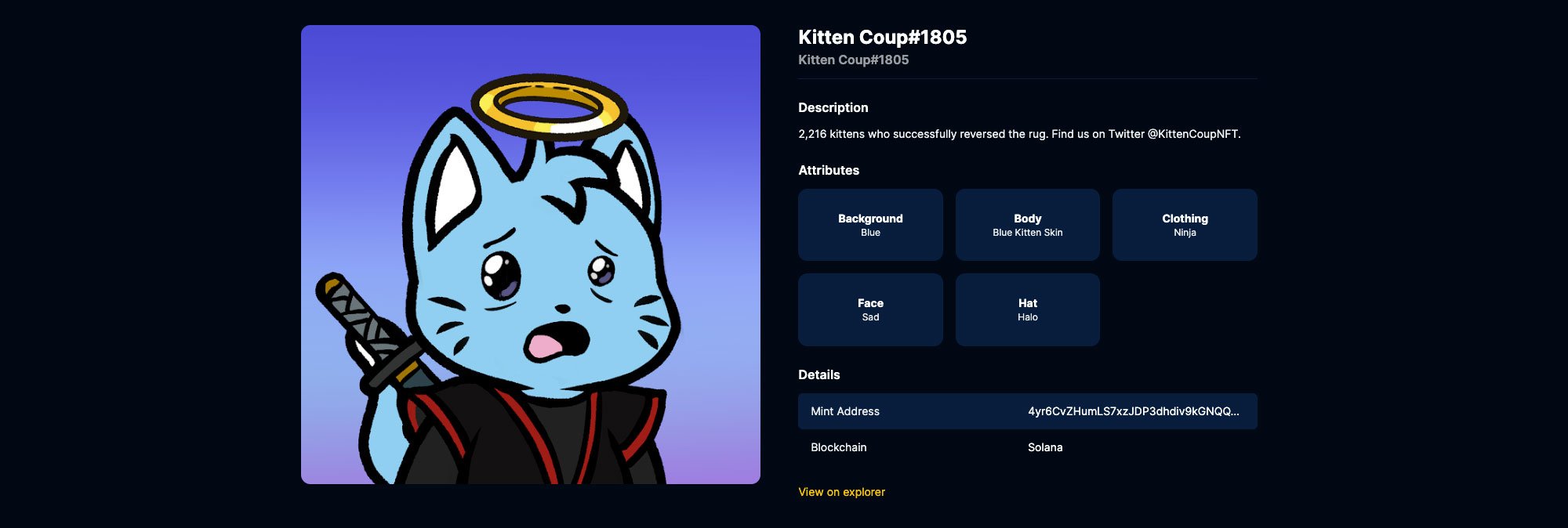 All UI configuration fields are optional and will fall back to Crossmint's default theme.
## Next Steps
Explore the complete SDK documentation, including UI components, hooks, and wallet functionality
Get started with client-side wallet integration
Learn about server-side wallet management
Contact our sales team for support.
All UI configuration fields are optional and will fall back to Crossmint's default theme.
## Next Steps
Explore the complete SDK documentation, including UI components, hooks, and wallet functionality
Get started with client-side wallet integration
Learn about server-side wallet management
Contact our sales team for support.