> ## Documentation Index
> Fetch the complete documentation index at: https://crossmint-wallets-docs-2-5.mintlify.site/llms.txt
> Use this file to discover all available pages before exploring further.

# Customize Style

> Adapt UI elements of the Embedded Checkout

<Check>
  Checkout the [Crossmint Playground](https://playground.crossmint.com/checkout/embedded) to play with a live demo and
  theming options!
</Check>

Customize the style of the embedded checkout by adding a `uiConfig` object to the `CrossmintPaymentElement`:

<CodeGroup>
  ```javascript react theme={null}
  <CrossmintPaymentElement
      // other props removed for brevity
      uiConfig={{
          borderRadius: "4px",
          colors: {
              background: "#F0F4F8",
              backgroundSecondary: "#FFFFFF",
          },
          hideCardForm: false,
      }}
  />
  ```

  ```javascript vue theme={null}
  <template>
      <CrossmintPaymentElement
          // other props removed for brevity
          :ui-config="{
              borderRadius: '4px',
              colors: {
                  background: '#F0F4F8',
                  backgroundSecondary: '#FFFFFF'
              },
              hideCardForm: false,
          }"
      />
  </template>
  ```

  ```javascript vanilla js theme={null}
  <crossmint-payment-element
      // other props removed for brevity
      uiConfig='{
      "borderRadius": "4px",
      "colors": {
        "background": "#F0F4F8",
        "backgroundSecondary": "#FFFFFF"
      },
      hideCardForm: false,
    }'
  />
  ```
</CodeGroup>

If you are only displaying **Google Pay** and **Apple Pay**, the card form is not required. To hide it, you can set `hideCardForm` to `true`.

## Themes

Explore the following templates:

<Tabs>
  <Tab title="Minty Light">
    <Snippet file="themes/minty-light.mdx" />
  </Tab>

  <Tab title="Minty Dark">
    <Snippet file="themes/minty-dark.mdx" />
  </Tab>

  <Tab title="Solarized Light">
    <Snippet file="themes/solarized-light.mdx" />
  </Tab>

  <Tab title="Solarized Dark">
    <Snippet file="themes/solarized-dark.mdx" />
  </Tab>

  <Tab title="Material Light">
    <Snippet file="themes/material-light.mdx" />
  </Tab>

  <Tab title="Material Dark">
    <Snippet file="themes/material-dark.mdx" />
  </Tab>
</Tabs>

## Property Reference

<ResponseField name="uiConfig" type="object" />

### Background Color

<AccordionGroup>
  {" "}

  <Accordion title="background">
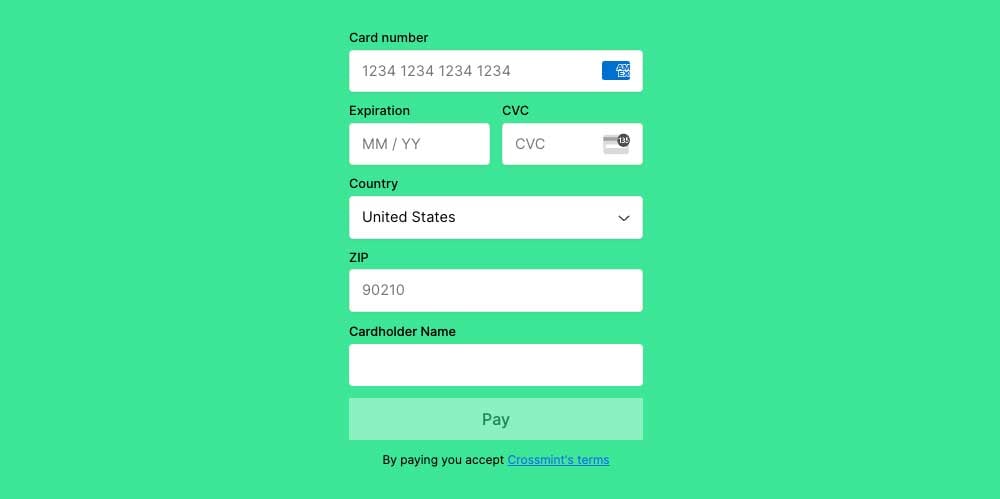
    <ResponseField name="background" type="string">
      Sets the background color of the checkout element.
      <Frame type="simple">
        <img src="https://mintcdn.com/crossmint-wallets-docs-2-5/l5RZBZ_vez8njfCH/images/payments/embedded/ui-properties/background.jpg?fit=max&auto=format&n=l5RZBZ_vez8njfCH&q=85&s=f0b2a1dcd54d34bb9cb7c597f94b5824" alt="background screenshot example" width="1000" height="499" data-path="images/payments/embedded/ui-properties/background.jpg" />
      </Frame>
    </ResponseField>
  </Accordion>

  {" "}

  <Accordion title="backgroundSecondary">
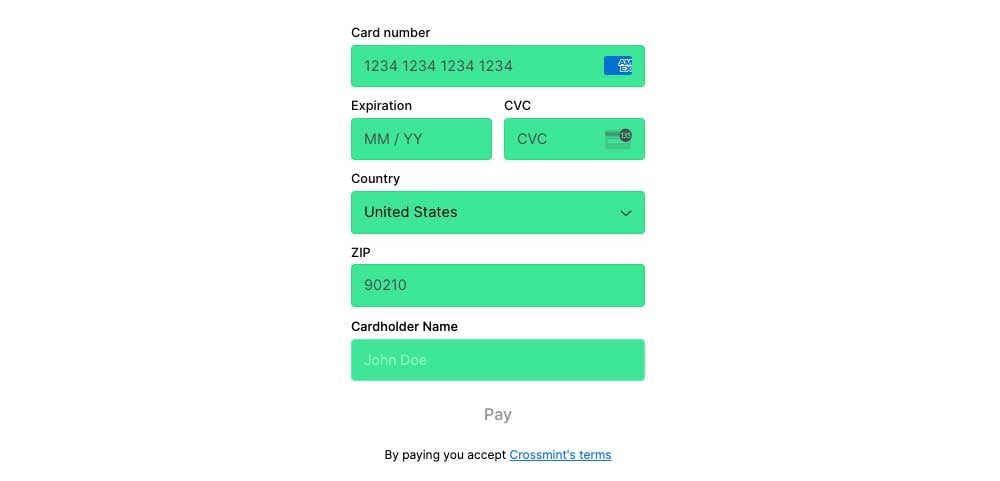
    <ResponseField name="backgroundSecondary" type="string">
      Sets the background color of the input fields.
      <Frame type="simple">
        <img src="https://mintcdn.com/crossmint-wallets-docs-2-5/l5RZBZ_vez8njfCH/images/payments/embedded/ui-properties/backgroundSecondary.jpg?fit=max&auto=format&n=l5RZBZ_vez8njfCH&q=85&s=52ac8d1c07d5efeb00004624b109f538" alt="backgroundSecondary screenshot example" width="1000" height="481" data-path="images/payments/embedded/ui-properties/backgroundSecondary.jpg" />
      </Frame>
    </ResponseField>
  </Accordion>

  <Accordion title="backgroundTertiary">
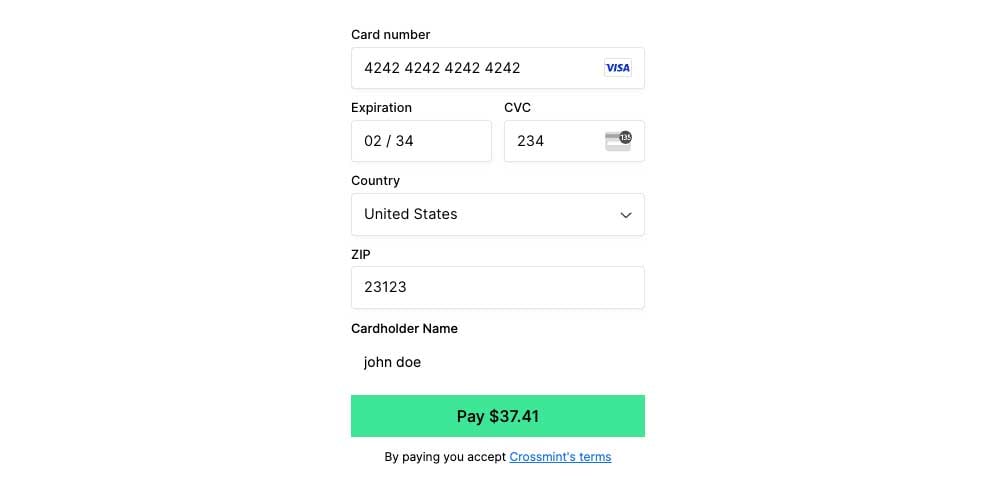
    <ResponseField name="backgroundTertiary" type="string">
      Sets the background color of the payment button.
      <Frame type="simple">
        <img src="https://mintcdn.com/crossmint-wallets-docs-2-5/l5RZBZ_vez8njfCH/images/payments/embedded/ui-properties/backgroundTertiary.jpg?fit=max&auto=format&n=l5RZBZ_vez8njfCH&q=85&s=e74bbdf87bd420181e89fbf15b1d180c" alt="backgroundTertiary screenshot example" width="1000" height="481" data-path="images/payments/embedded/ui-properties/backgroundTertiary.jpg" />
      </Frame>
    </ResponseField>
  </Accordion>
</AccordionGroup>

### Text Color

<AccordionGroup>
  <Accordion title="textPrimary">
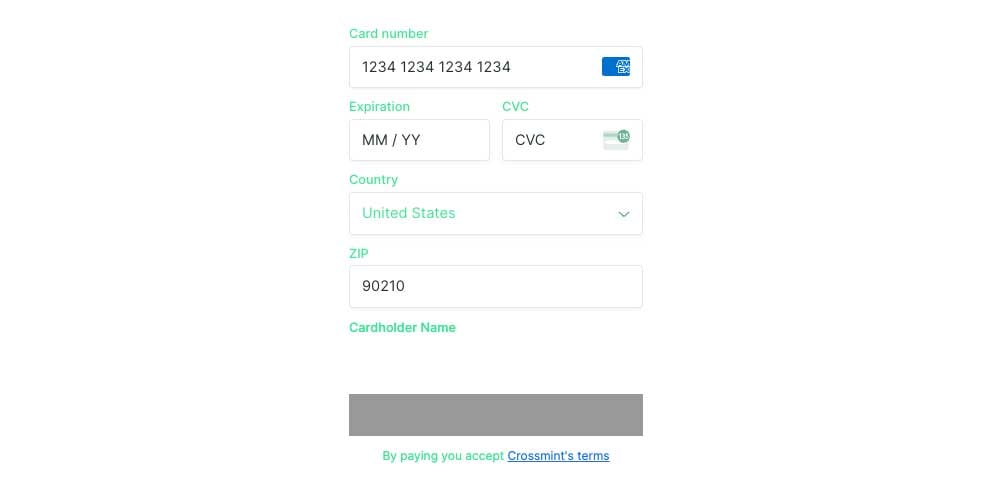
    <ResponseField name="textPrimary" type="string">
      Sets the color of the text on the input labels, placeholders, and terms of service.
      <Frame type="simple">
        <img src="https://mintcdn.com/crossmint-wallets-docs-2-5/l5RZBZ_vez8njfCH/images/payments/embedded/ui-properties/textPrimary.jpg?fit=max&auto=format&n=l5RZBZ_vez8njfCH&q=85&s=6672e341e42fbd7a5195633ae20534d0" alt="textPrimary screenshot example" width="1000" height="492" data-path="images/payments/embedded/ui-properties/textPrimary.jpg" />
      </Frame>
    </ResponseField>
  </Accordion>

  {" "}

  <Accordion title="textSecondary">
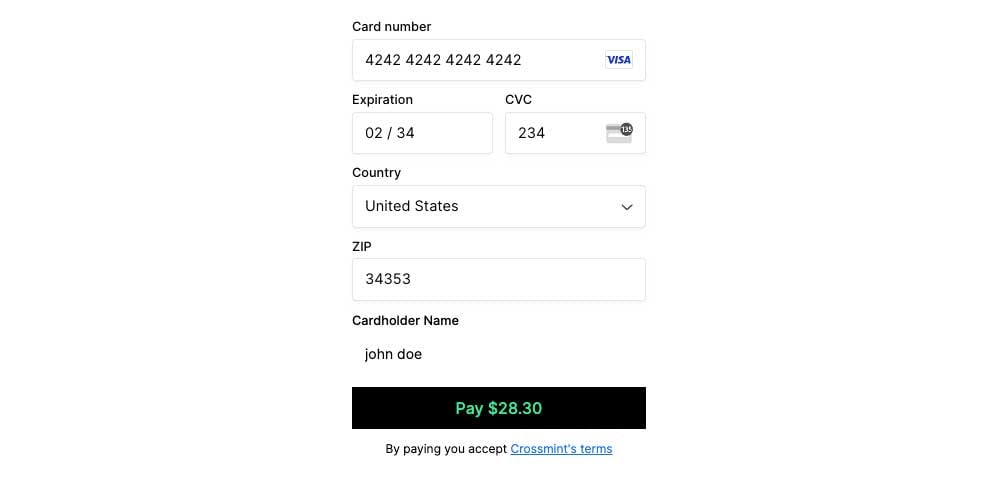
    <ResponseField name="textSecondary" type="string">
      Sets the color of the text on the payment button.
      <Frame type="simple">
        <img src="https://mintcdn.com/crossmint-wallets-docs-2-5/l5RZBZ_vez8njfCH/images/payments/embedded/ui-properties/textSecondary.jpg?fit=max&auto=format&n=l5RZBZ_vez8njfCH&q=85&s=cf889707480d7099bf77bf8d887129d1" alt="textSecondary screenshot example" width="1000" height="479" data-path="images/payments/embedded/ui-properties/textSecondary.jpg" />
      </Frame>
    </ResponseField>
  </Accordion>

  {" "}

  <Accordion title="border">
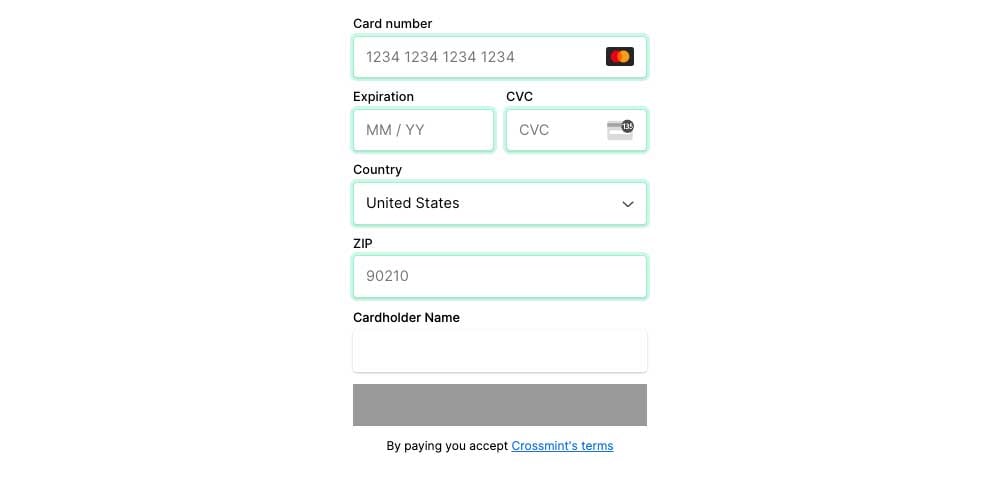
    <ResponseField name="border" type="string">
      Sets the color of the input field borders when active.
      <Frame type="simple">
        <img src="https://mintcdn.com/crossmint-wallets-docs-2-5/l5RZBZ_vez8njfCH/images/payments/embedded/ui-properties/border.jpg?fit=max&auto=format&n=l5RZBZ_vez8njfCH&q=85&s=687ff650c4b3b5e0b831c5b3a3acc3ca" alt="border screenshot example" width="1000" height="477" data-path="images/payments/embedded/ui-properties/border.jpg" />
      </Frame>
    </ResponseField>
  </Accordion>

  {" "}

  <Accordion title="danger">
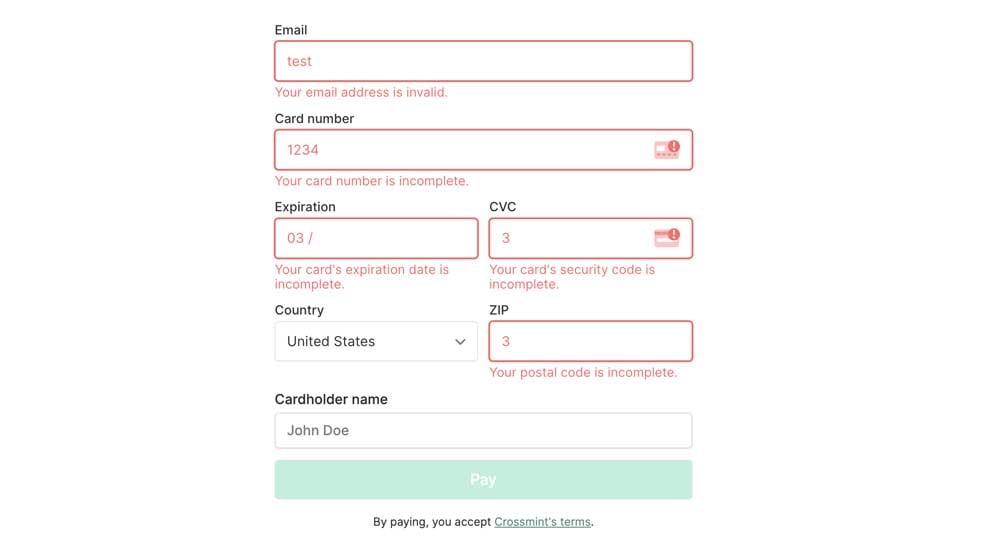
    <ResponseField name="danger" type="string">
      Sets the color of the input field borders and error messages that appear when there is an error.
      <Frame type="simple">
        <img src="https://mintcdn.com/crossmint-wallets-docs-2-5/l5RZBZ_vez8njfCH/images/payments/embedded/ui-properties/danger.jpg?fit=max&auto=format&n=l5RZBZ_vez8njfCH&q=85&s=ae981c67bed25bd25c79206467a345cc" alt="danger screenshot example" width="1000" height="559" data-path="images/payments/embedded/ui-properties/danger.jpg" />
      </Frame>
    </ResponseField>
  </Accordion>

  {" "}

  <Accordion title="textLink">
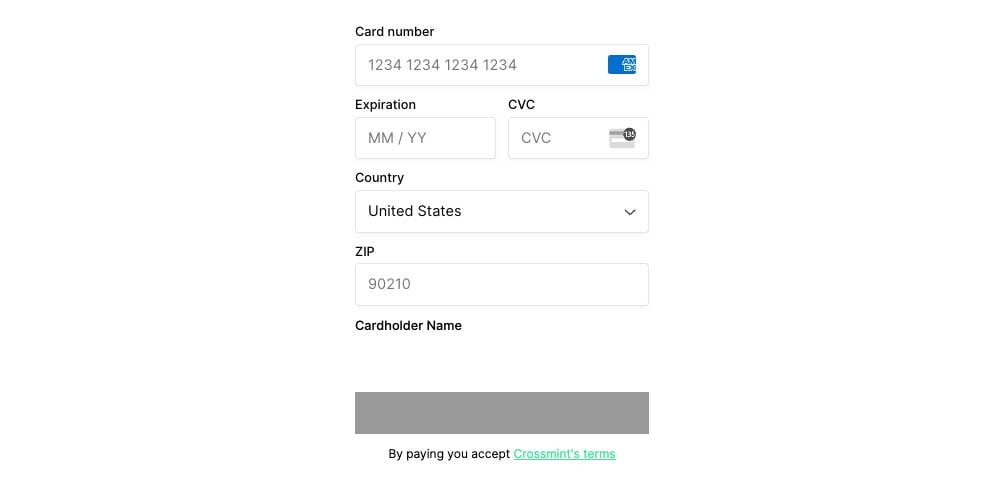
    <ResponseField name="textLink" type="string">
      Sets the color of terms of service hyperlinked text.
      <Frame type="simple">
        <img src="https://mintcdn.com/crossmint-wallets-docs-2-5/l5RZBZ_vez8njfCH/images/payments/embedded/ui-properties/textLink.jpg?fit=max&auto=format&n=l5RZBZ_vez8njfCH&q=85&s=0cfdf81ec2cc0a4ded73028535d3947f" alt="textLink screenshot example" width="1000" height="483" data-path="images/payments/embedded/ui-properties/textLink.jpg" />
      </Frame>
    </ResponseField>
  </Accordion>
</AccordionGroup>

### Typography

<AccordionGroup>
  {" "}

  <Accordion title="fontSizeBase">
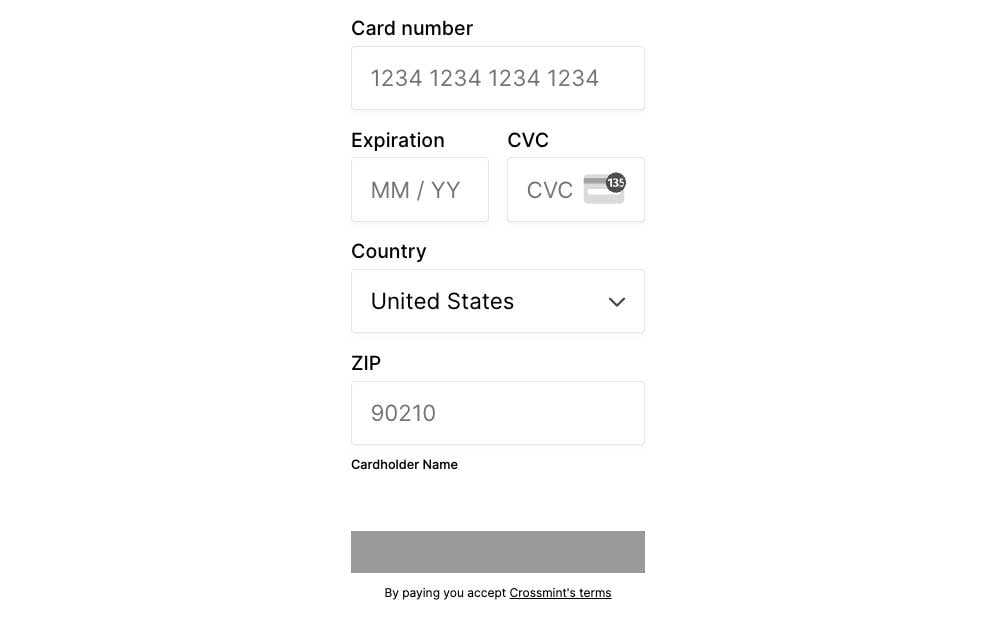
    <ResponseField name="fontSizeBase" type="string">
      Sets the font size for all text elements. The default value is `0.91rem`.
      <Frame type="simple">
        <img src="https://mintcdn.com/crossmint-wallets-docs-2-5/l5RZBZ_vez8njfCH/images/payments/embedded/ui-properties/fontSizeBase.jpg?fit=max&auto=format&n=l5RZBZ_vez8njfCH&q=85&s=1dbb49ce4f2d471f30364f55ffb56059" alt="fontSizeBase screenshot example" width="1000" height="625" data-path="images/payments/embedded/ui-properties/fontSizeBase.jpg" />
      </Frame>
    </ResponseField>
  </Accordion>

  {" "}

  <Accordion title="fontWeightPrimary">
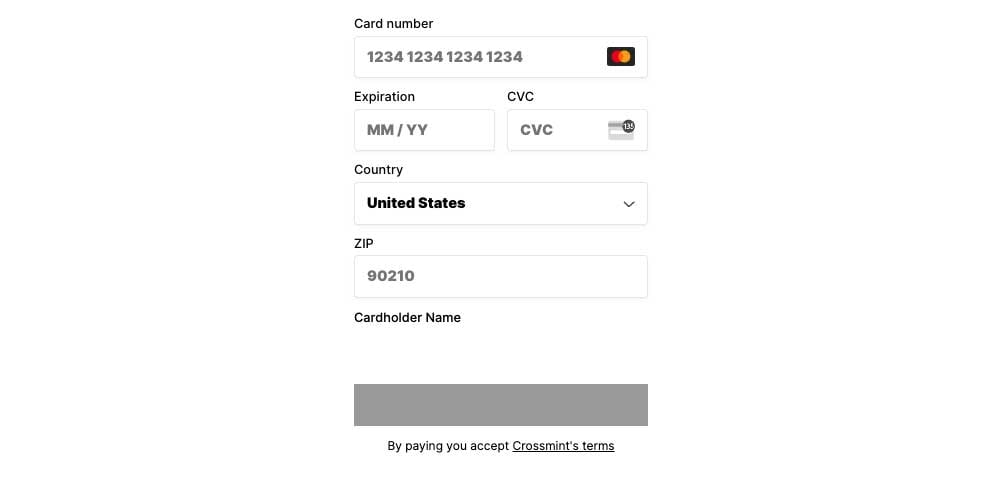
    <ResponseField name="fontWeightPrimary" type="string">
      Sets the font weight of all the input placeholders.
      <Frame type="simple">
        <img src="https://mintcdn.com/crossmint-wallets-docs-2-5/l5RZBZ_vez8njfCH/images/payments/embedded/ui-properties/fontWeightPrimary.jpg?fit=max&auto=format&n=l5RZBZ_vez8njfCH&q=85&s=a22697ac2dd3ef12b5912ff062ed5d12" alt="fontWeightPrimary screenshot example" width="1000" height="483" data-path="images/payments/embedded/ui-properties/fontWeightPrimary.jpg" />
      </Frame>
    </ResponseField>
  </Accordion>

  {" "}

  <Accordion title="fontWeightSecondary">
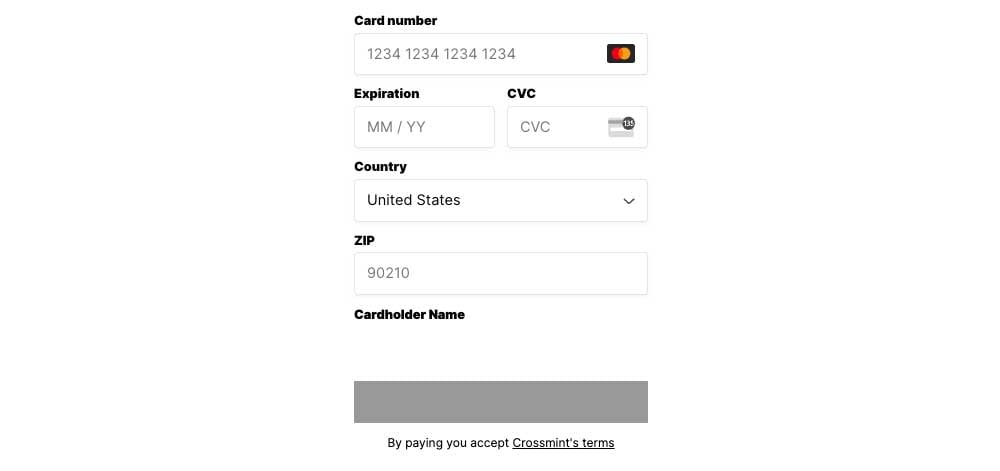
    <ResponseField name="fontWeightSecondary" type="string">
      Sets the font weight of all input labels.
      <Frame type="simple">
        <img src="https://mintcdn.com/crossmint-wallets-docs-2-5/l5RZBZ_vez8njfCH/images/payments/embedded/ui-properties/fontWeightSecondary.jpg?fit=max&auto=format&n=l5RZBZ_vez8njfCH&q=85&s=8bde9b1b747926615eac737f74e067ce" alt="fontWeightSecondary screenshot example" width="1000" height="471" data-path="images/payments/embedded/ui-properties/fontWeightSecondary.jpg" />
      </Frame>
    </ResponseField>
  </Accordion>
</AccordionGroup>

### Input Fields

<AccordionGroup>
  {" "}

  <Accordion title="spacingUnit">
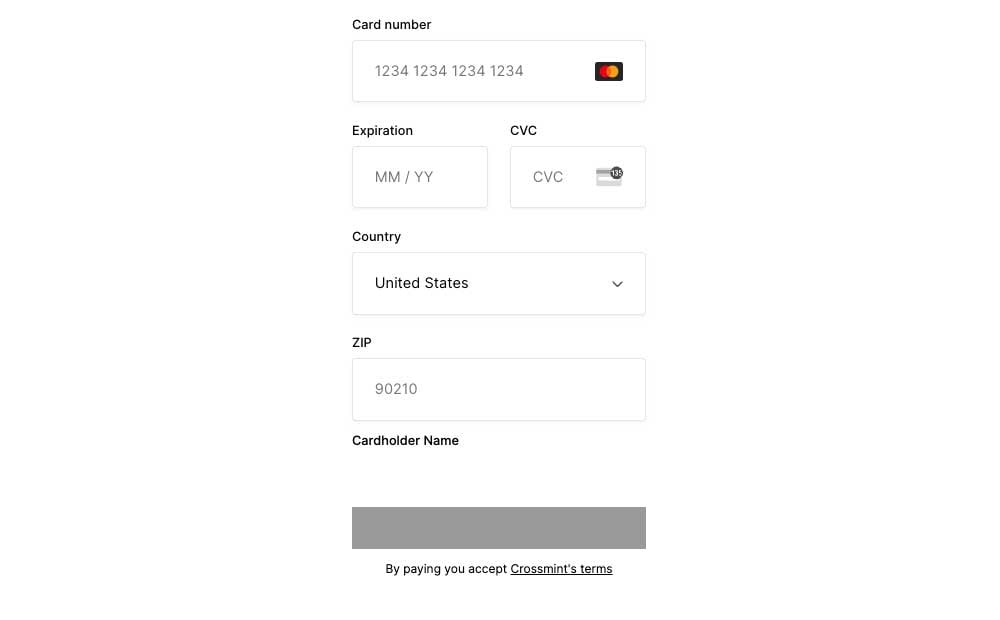
    <ResponseField name="spacingUnit" type="string">
      Sets the height of all input fields. The default value is: `0.274rem`.
      <Frame type="simple">
        <img src="https://mintcdn.com/crossmint-wallets-docs-2-5/l5RZBZ_vez8njfCH/images/payments/embedded/ui-properties/spacingUnit.jpg?fit=max&auto=format&n=l5RZBZ_vez8njfCH&q=85&s=90e5c46f14047ec444aa1122c9d6dacd" alt="spacingUnit screenshot example" width="1000" height="620" data-path="images/payments/embedded/ui-properties/spacingUnit.jpg" />
      </Frame>
    </ResponseField>
  </Accordion>

  {" "}

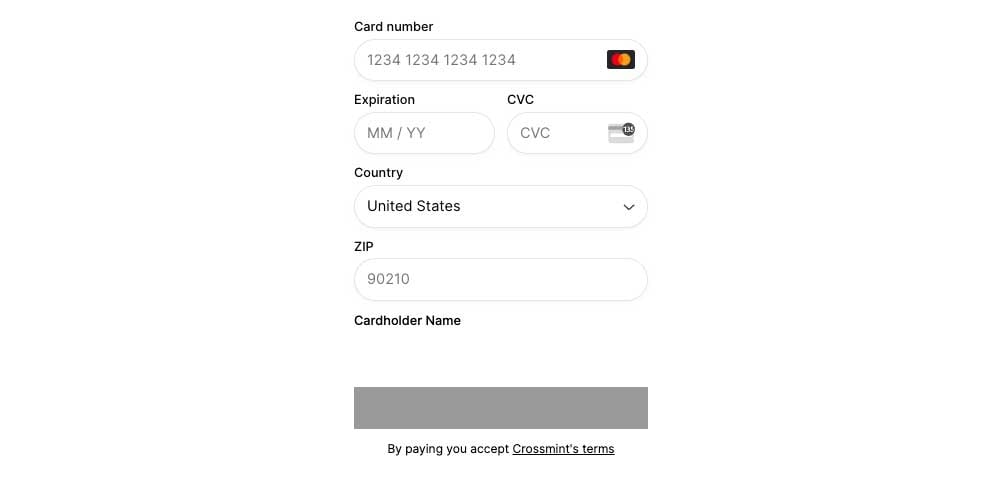
  <Accordion title="borderRadius">
    <ResponseField name="borderRadius" type="string">
      Sets the border radius of all input fields.
      <Frame type="simple">
        <img src="https://mintcdn.com/crossmint-wallets-docs-2-5/l5RZBZ_vez8njfCH/images/payments/embedded/ui-properties/borderRadius.jpg?fit=max&auto=format&n=l5RZBZ_vez8njfCH&q=85&s=20a1a0b4f382aaa5617a5e0548142ed1" alt="borderRadius screenshot example" width="1000" height="487" data-path="images/payments/embedded/ui-properties/borderRadius.jpg" />
      </Frame>
    </ResponseField>
  </Accordion>
</AccordionGroup>
